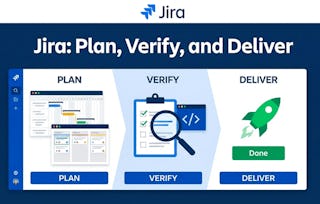
This course introduces you to Jira as a day-to-day tool for tracking work, managing quality assurance processes, and maintaining traceable, auditable project records. Beginning with navigation and a working understanding of issue types and hierarchy, you will progress to practical practices for creating well-documented issues, using filters to find and manage assigned work, and building personal dashboards to monitor progress. The course covers core defect logging and linking techniques to ensure traceability, and walks learners through testing workflows and verification practices to confirm fixes.

Jira Issue Tracking and Quality Assurance

Limited time! Save 40% on 3 months of Coursera Plus and full access to thousands of courses.

Jira Issue Tracking and Quality Assurance
This course is part of Jira Essentials: Beginner-Intermediate Mastery Professional Certificate

Instructor: Professionals from the Industry
Included with
Recommended experience
What you'll learn
Create well-documented issues and apply appropriate workflow transitions.
Execute manual test cases and document verification evidence.
Build a personal dashboard and export data for reporting.
Use issue linking and history to maintain traceability.
Details to know

Add to your LinkedIn profile
March 2026
See how employees at top companies are mastering in-demand skills

Build your Support and Operations expertise
- Learn new concepts from industry experts
- Gain a foundational understanding of a subject or tool
- Develop job-relevant skills with hands-on projects
- Earn a shareable career certificate from Coursera

There are 9 modules in this course
Feeling lost and overwhelmed by project management tools like Jira when joining a new team? "Navigate, Track, and Organize Your Work" is a beginner's module that turns this confusion into confidence. It teaches universal principles of digital work management that apply across platforms. You will learn to navigate project boards and backlogs, understand the language of modern work (epics, stories, tasks), and see how your tasks fit into the bigger picture. By mastering how to track and update your work, you will provide your team with crucial visibility and become an organized, indispensable contributor from day one.
What's included
4 videos2 readings4 assignments
Poor Jira usage creates project chaos, with vague tickets and outdated statuses causing confusion and delays. "Jira: Create, Track, and Workflow Issues" is a module for all team members to transform Jira into an engine for momentum. You will learn to create perfectly clear issues, track work with powerful search (JQL) and custom dashboards, and use workflows to communicate progress with integrity. Master the skills to make Jira a trusted source of truth, thereby ensuring a seamless workflow from "To Do" to "Done," and turning you into a driver of your team's success.
What's included
4 videos2 readings3 assignments
Feeling overwhelmed by a chaotic firehose of project notifications? This module teaches you to master your work management tool's most powerful feature: its search engine. Transition from being a passive recipient of tasks to an empowered user. You will learn to build precise queries using filters and sorting to cut through the noise and create a clear, prioritized to-do list. By saving these custom searches, you can create a personal dashboard that instantly shows you what to work on next, transforming your project tool from a source of stress into a command center for focus and clarity.
What's included
2 videos1 reading3 assignments
Tired of manually digging for project data in Jira? "Track, Export, and Dashboard in Jira" is a beginner's module that transforms you into a data-driven leader. You'll learn to analyze project health using List, Board, and Timeline views to spot bottlenecks and assess deadlines. Then, you'll master exporting specific data to create powerful custom reports. Finally, you'll build a personal Jira dashboard with real-time gadgets to monitor workloads, track progress, and visualize key metrics. Stop making guesses and start leading with clear, actionable insights that turn project chaos into dashboard clarity.
What's included
3 videos2 readings4 assignments
"Track, Log, and Link Jira Defects Fast" is a beginner's module for IT, operations, and development teams. It teaches you to create clear, high-quality bug reports that accelerate resolution time. You will master documenting issues with reproducible steps, contrasting expected vs. actual results, and differentiating priority from severity for effective triage. The module also covers using Jira's issue linking to clearly map dependencies. You will learn to log and manage defects smarter, not just faster, enabling your team to diagnose and resolve technical problems with maximum efficiency.
What's included
3 videos3 readings4 assignments
When a Jira ticket's status is incorrect, chaos ensues. "Verify Jira History: Confirm Accuracy Fast" is a module for any professional who needs project data they can trust. It teaches you to be a detective for your project, moving beyond basic tracking to master forensic analysis. You will learn to investigate an issue’s true status by analyzing its change history for red flags, interpreting comments for hidden context like blockers, and cross-referencing with linked issues and code commits. Stop basing decisions on bad data and learn to find the truth in Jira.
What's included
3 videos2 readings2 assignments
"Jira for Quality Assurance Testing" is a beginner's module for aspiring QA professionals, developers, and project teams. It provides a structured path to mastering fundamental software testing methodologies within the Jira ecosystem. You'll learn to distinguish between smoke, regression, and exploratory testing. Through hands-on instructions, you will become proficient in executing manual test cases and documenting results with evidence directly in Jira. The module emphasizes clear communication, equipping you to implement systematic QA processes that help your team identify defects early and deliver reliable software with confidence.
What's included
4 videos2 readings4 assignments
Tired of "zombie bugs" that return after being "fixed"? "Verify Fixes and Analyze Quality Metrics" is a beginner's module that transforms you into a quality leader. You will master a structured workflow for verifying individual fixes, ensuring their permanent resolution before closure. Then, you'll learn to analyze key metrics, such as bug creation vs. resolution rates, to assess your project's overall health. By the end, you'll stop guessing about quality and start using data to prove it, confidently answering not just if a bug is fixed, but "What is the true state of our product's quality?"
What's included
4 videos2 readings4 assignments
In this project, you will transform raw project data into actionable intelligence. You’ll build a two-view dashboard to visualize KPIs and at-risk items, and then use generative AI to draft a weekly status report, applying a QA checklist to produce a final, human-reviewed version. Critically, you will evaluate the AI’s performance by building a confusion matrix to compute its precision and recall. Based on your findings, you’ll make a business recommendation, proving your ability to deliver clear, data-driven reports and validate AI tools for responsible use in a professional business environment.
What's included
2 readings1 assignment
Earn a career certificate
Add this credential to your LinkedIn profile, resume, or CV. Share it on social media and in your performance review.
Instructor

Offered by
Explore more from Support and Operations
Why people choose Coursera for their career

Felipe M.

Jennifer J.

Larry W.

Chaitanya A.

Open new doors with Coursera Plus
Unlimited access to 10,000+ world-class courses, hands-on projects, and job-ready certificate programs - all included in your subscription
Advance your career with an online degree
Earn a degree from world-class universities - 100% online


Join over 3,400 global companies that choose Coursera for Business
Upskill your employees to excel in the digital economy
Frequently asked questions
Yes. Labs include manual test execution and defect logging exercises using provided sample data.
No. Exercises use screenshots, templates, and CSV exports—admin access isn’t required.
A two-view status dashboard (KPI + overdue/risk) and a QA report used as a portfolio artifact.
More questions
Financial aid available,
¹ Some assignments in this course are AI-graded. For these assignments, your data will be used in accordance with Coursera's Privacy Notice.